
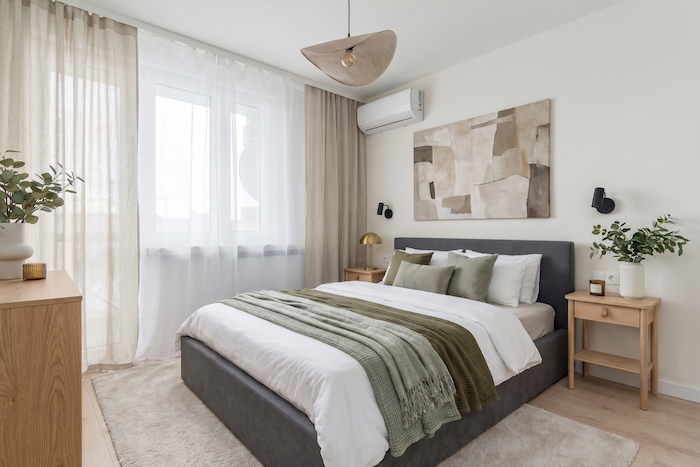
If you have been searching for a Room.ai alternative, you are probably trying to redesign a space without hiring a designer or learning complicated software. You upload a photo of your room, you want to see it reimagined in a style you love, and you want the result to look believable. Room.ai is a well-known name in AI interior design, and it has earned its place. In this honest AIRoomDecor vs Room.ai comparison, we will walk through what each tool does, where they differ, who each one suits best, and why AIRoomDecor is worth a serious look if you want more styles, more variations, and a genuinely useful free tier.
We have kept claims about Room.ai general and hedged on purpose. Tools update their features and pricing often, so treat any specific Room.ai detail as accurate to the best of our knowledge at the time of writing, and always check Room.ai's own site for the latest. Everything we say about AIRoomDecor reflects what the product actually does today.
At a Glance: AIRoomDecor vs Room.ai
A quick side-by-side of the things most people care about when choosing a room AI alternative. Skim it, then read the sections below for the detail behind each point.
| Feature | AIRoomDecor | Room.ai |
|---|---|---|
| Core approach | Upload a photo, pick a style, get AI redesigns of the real room | AI interior design from your space, known for style-driven room visualization |
| Design styles | 40+ styles, from Scandinavian and Minimalist to Cyberpunk and Cottagecore | A solid range of popular interior styles (check current list on Room.ai) |
| Variations per upload | 4 distinct redesigns every generation | Varies by tool and plan |
| Free tier | 3 free AI room designs every month, no credit card | May offer a free trial or limited credits (confirm current terms) |
| Paid plans | From $19/mo (Pro), plus one-time token packs from $9 | Subscription-based (see Room.ai for current pricing) |
| Room and project types | Bedroom, living room, kitchen, office, bathroom, exterior, landscape | Interior room redesign focus |
| Extra tools | Fill Empty Room, Remove Furniture, Magic Wand, Background swap, upscaling, sketch-to-image | Primarily redesign-focused |
| Speed | Results in roughly 8 to 12 seconds | Fast, browser-based generation |
| Commercial license | Included on paid plans and token packs | Check Room.ai terms |
How They Work
Both tools follow the same friendly premise: you should be able to redecorate from a photo, not a CAD file. With AIRoomDecor you upload any room photo, pick from 40+ design styles, and receive four distinct redesign variations of that exact space, usually in about 8 to 12 seconds. The AI works from your real room, so the layout and proportions you already have are the starting point rather than a generic stock interior.
Room.ai works on the same broad idea of AI-assisted interior visualization and is known for turning a space into styled concepts quickly in the browser. The headline difference is breadth. AIRoomDecor pairs the core redesign with a toolkit: Fill Empty Room for adding furniture to a bare space, Remove Furniture to strip a room back, the Magic Wand to swap out a single item, background replacement, photo upscaling, and even sketch-to-image. If your project is more than a one-shot restyle, that range matters.
Styles and Output Quality
Style choice is where a lot of people pick a winner. AIRoomDecor ships with more than 40 styles. You get the mainstream favorites like Modern, Scandinavian, Minimalist, Farmhouse, Mid-Century Modern, Industrial, and Coastal, plus the more adventurous picks like Bohemian, Cottagecore, Cyberpunk, and Retro Futuristic. That spread means you can take the same living room from cozy and rustic to clean and contemporary in a few clicks.
Room.ai is genuinely capable and produces attractive, on-trend interiors, which is exactly why people compare the two. When you are weighing a room AI alternative, the practical questions are how many style options you get and how many versions you see per upload. AIRoomDecor's four variations per generation give you more to react to in a single pass, so you spend less time regenerating and more time refining the look you actually want. Output is designed to respect your room's existing geometry, so redesigns read as plausible makeovers of your space rather than a different room entirely.
Pricing and Free Tier
This is often the deciding factor, so here is exactly what AIRoomDecor charges. The pricing page lays it out clearly:
The token pack is the standout for occasional users. If you only need a handful of redesigns for one project, you can spend $9 once, keep tokens that never expire, and still get the commercial license. Room.ai is subscription-based, and its current plans and any free trial are best confirmed on its own site, since pricing changes. The fair takeaway is that AIRoomDecor gives you a no-credit-card free tier plus a pay-once option, which is a flexible entry point if you do not want a recurring bill.
Ease of Use
Neither tool asks you to be a designer, and that is the point of this whole category. AIRoomDecor keeps the core loop to three steps: upload, pick a style, generate. Because you get four variations at once and results come back in seconds, the feedback loop is fast enough to experiment freely. The additional tools are there when you want them and out of the way when you do not, so a first-time user is not overwhelmed on day one.
Room.ai is also built for non-experts and is praised for a clean, quick experience. If your needs are simple, both will feel easy. If you expect to grow into furniture removal, single-item swaps, or staging an empty room, AIRoomDecor's wider toolset means you will not outgrow it as fast.
Who Each Is Best For
An honest comparison should help you self-select, so here is our read.
Choose Room.ai if
You already use it and are happy, or you want a focused, well-known interior visualization tool and your project is a straightforward restyle. It is a real, capable product, and there is nothing wrong with sticking with what works for you.
Choose AIRoomDecor if you want
- A bigger style library (40+ options) so you are not boxed in.
- Four variations per upload instead of regenerating one at a time.
- A free tier with no credit card, plus a one-time token pack so you are not forced into a subscription.
- Extra tools like Fill Empty Room, Remove Furniture, Magic Wand, and background swap in one place.
- Exterior and landscape redesigns alongside interior rooms.
- A commercial license and API access on paid plans, useful for realtors, stagers, and small studios.
Verdict
Room.ai is a legitimate, capable AI interior design tool, and we are not here to talk it down. If it already fits your workflow, keep using it. The reason people look for a Room.ai alternative usually comes down to wanting more range without paying more or learning more, and that is exactly where AIRoomDecor earns the recommendation. You get 40+ styles, four redesigns per generation, fast results, a genuinely usable free tier with no credit card, and a deeper toolkit that covers empty-room staging, furniture removal, single-item swaps, exteriors, and landscapes.
For most US homeowners and renters who want flexibility, more creative options, and a low-commitment way to start, AIRoomDecor is the stronger all-rounder. The best way to decide is to try it on your own room. Upload a photo and get your first free redesigns, then compare the results with your own eyes. If you want higher monthly limits, the plans and token packs scale with you.