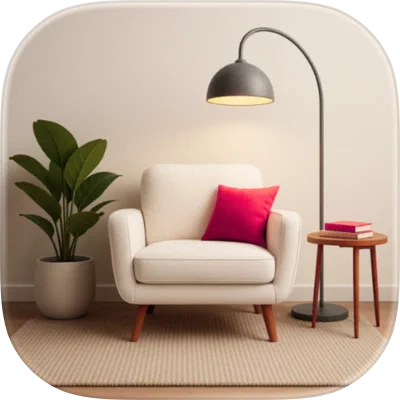
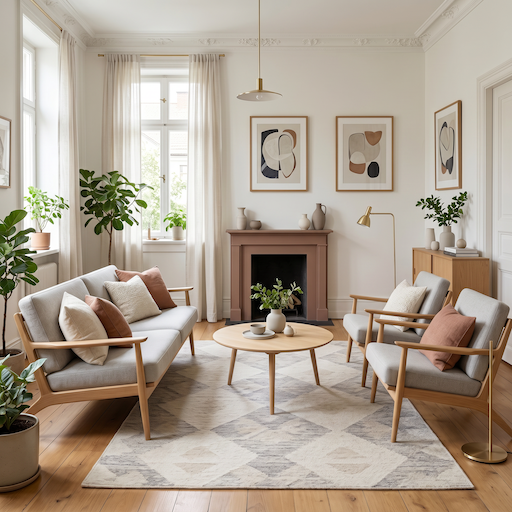
Before you spend a dollar on a new sofa, a gallon of paint, or a weekend of rearranging furniture, you can see exactly how your room will look. A free AI room planner lets you upload a photo of your space and instantly generate realistic redesigns, so you make confident decisions instead of expensive guesses. No measuring tape, no complicated software, and no design degree required.
This guide walks you through what a free AI room planner does, how it differs from old-school 3D room planners, and exactly how to plan a room from a single photo. You will also get practical use cases and tips to get the best results on your very first try.
What Is an AI Room Planner?
An AI room planner is a tool that takes a photo of your real room and uses artificial intelligence to reimagine it in different styles, layouts, and color schemes. Instead of building a model from scratch, you start with a picture of what you already have, and the AI does the heavy lifting.
With AIRoomDecor, the workflow is built around three simple steps: upload your room, pick your style, and get four redesigns in about 8 to 12 seconds. Each generation gives you four different interpretations of the style you chose, so you are never stuck with a single take. You can then use a slide-to-compare view to see the original and the redesign side by side.
The best part for anyone testing the waters: you get 3 free AI room designs every month with no credit card required. That is enough to plan a single room makeover or compare a couple of directions before you commit to anything.
AI Room Planner vs. Traditional 3D Room Planner
If you have ever tried a classic 3D room planner, you know the routine: measure your walls, build a floor plan, drag in furniture models, set the lighting, and hope the final render looks like your actual space. It works, but it is slow and it has a learning curve. An AI room planner flips that process on its head. Here is how they compare:
For most homeowners and renters who just want to see a beautiful result, the AI approach removes the friction entirely. If you want a deeper side-by-side of the leading tools, AIRoomDecor publishes a feature comparison of the major AI interior design apps.
How to Plan a Room From a Photo: Step by Step
Planning a room with a free online room planner takes minutes. Here is the exact process:
- 1
Take a clear photo.
Stand in a corner or doorway and capture as much of the room as you can in one shot. Good, even daylight helps the AI read the space accurately.
- 2
Upload your room.
Drop the photo into the planner. There is nothing to install and no measurements to enter.
- 3
Pick your style.
Choose from over 40 aesthetics like Scandinavian, Boho, Industrial, Minimalist, Art Deco, Maximalist, or Cottagecore. Not sure what you like? The 60-second Style Quiz recommends a direction based on your preferences.
- 4
Generate your redesigns.
In about 8 to 12 seconds you get four different interpretations of your chosen style, all based on your real room.
- 5
Compare and refine.
Use the slide-to-compare view to weigh the redesign against your original. Generate again with a different style or vibe until something clicks.
- 6
Shop the look.
Tap any item in a redesign to see shoppable alternatives at multiple price points, so your plan turns into a real shopping list.
Every room you generate is saved to your design history, which makes it easy to revisit options and share them with a partner, roommate, or contractor.
Real Ways to Use a Free AI Room Planner
Beyond Redesign: Extra AI Tools That Help You Plan
A redesign is just the start. AIRoomDecor includes a set of specialized AI tools that make planning more flexible:
- Fill Empty Room stages a bare space so you can picture it furnished.
- Remove Furniture clears clutter to plan from a clean slate.
- Find Furniture helps you source pieces that match your new look.
- Photo Enhancer sharpens your source image for better results.
- Exterior Redesign and Landscape AI extend planning to your home’s outside and yard.
All of these AI design tools are accessible on the free plan, so you can explore the full toolkit before deciding whether to upgrade.
Tips for the Best Results
Use good lighting. Natural daylight gives the AI the cleanest read on your room shape and surfaces.
Capture the whole room. Wider shots give the planner more context than a tight close-up of one corner.
Declutter first. A tidier source photo produces cleaner, more usable redesigns.
Try several styles. Generate the same room in two or three styles to compare directions before you decide.
Save your favorites. Lean on your design history so you can come back to the best options later.
Start Planning Your Room for Free
You do not need software, measurements, or a designer to plan a beautiful room. With a free AI room planner, you upload a photo, pick a style, and see your space transformed in seconds, then shop the look at your own pace. It is the lowest-risk way to make a high-confidence decision about your home. Try AIRoomDecor free and redesign your first room today.
Try AI Room Decor Free