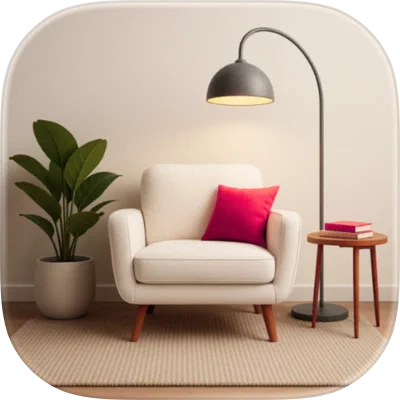
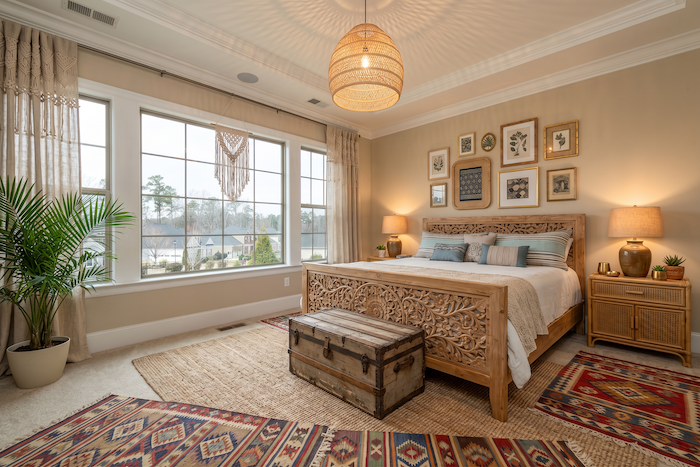
If you have ever stared at an empty living room or a tired bedroom and thought "I have no idea where to start," you are exactly who an AI interior design app is built for. Instead of guessing whether a sofa color works or paying a designer hundreds of dollars to find out, you upload a photo of your real room and get finished redesigns back in seconds.
This guide covers what an AI interior design app is, how it works, what to look for, and the everyday situations where it saves real time and money. We will use AIRoomDecor as a working example throughout, but the principles apply to whichever tool you choose.
What Is an AI Interior Design App?
An AI interior design app takes a photo of your space and generates new versions of it in different styles, layouts, and color schemes. The key word is your space. Unlike a Pinterest board full of other people's homes, these redesigns keep your actual walls, windows, and room shape and reimagine everything inside them.
That difference matters. A gorgeous inspiration photo cannot tell you whether a coastal palette suits your specific living room with its odd corner and west-facing window. An AI render of your own room can. You see the idea applied to the space you live in, which makes it far easier to decide what is worth buying or building.
Most modern tools go beyond simple "restyling," too. The better ones can fill an empty room with furniture, strip a cluttered room back to bare bones, swap a single piece, or even redesign a home's exterior. The goal is the same across all of them: help you visualize a confident decision before you spend money.
How an AI Interior Design App Works
The workflow is deliberately simple, and it is roughly the same whether you are a homeowner, a renter, or a professional. With AIRoomDecor, it comes down to three steps:
- 1
Upload your room.
Snap a photo with your phone or upload an existing one. Any standard photo format works, so you do not need special equipment.
- 2
Pick your style.
Choose from 40+ design styles, from Scandinavian and Minimalist to Bohemian, Industrial, Farmhouse, Coastal, and Mid-Century Modern. Not sure what you like? A short style quiz can point you in the right direction.
- 3
Get your redesigns instantly.
The app returns four redesign variations in roughly 8 to 12 seconds, so you can compare directions side by side instead of committing to one guess.
Behind the scenes, the AI recognizes the structure of your room, then reimagines furniture, finishes, lighting, and decor to match the style you selected. Getting four variations at once is genuinely useful, because the first result is rarely "the one." Seeing several takes helps you notice which details you actually want to keep.
What to Look For in an AI Interior Design App
Not every tool is equally useful. As you compare options, weigh these factors:
Variety of styles. A library of 40+ styles gives you room to explore. A handful of presets gets repetitive fast.
Multiple results per upload. Tools that return several variations (AIRoomDecor returns four) let you compare directions instead of accepting the first render.
Speed. Near-instant results mean you can iterate freely rather than waiting around between attempts.
Room coverage. Make sure it handles the spaces you care about. AIRoomDecor supports bedrooms, living rooms, kitchens, home offices, bathrooms, and even home exteriors.
Editing tools beyond restyling. Features like Fill Empty Room, Remove Furniture, a Magic Wand to swap a single item, and Find Furniture to locate where to buy a piece turn a "fun preview" into a real planning tool.
A genuine free option. You should be able to try the tool before paying. AIRoomDecor includes 3 free AI room designs every month with no credit card required.
Clear, fair pricing. Look for transparent plans and, if you only need occasional designs, credits that do not expire.
If you want a side-by-side breakdown of how different tools stack up on these exact points, the AIRoomDecor comparison page lays out features, speed, and pricing against several popular alternatives.
How to Redesign a Room Step by Step
Here is a practical approach to getting a result you can actually act on, not just a pretty picture.
- 1
Shoot a clean, well-lit photo.
Stand in a corner, capture as much of the room as you can, and turn on the lights. The clearer the input, the better the output.
- 2
Declutter first if you can.
If the room is busy, use a Remove Furniture or Fill Empty Room tool to start from a blank slate, then build the look you want.
- 3
Try two or three contrasting styles.
Run the same photo through, say, Minimalist, Coastal, and Mid-Century Modern. Contrasts make your real preferences obvious.
- 4
Refine one element at a time.
Love the layout but not the sofa? Use the Magic Wand to swap just that piece instead of regenerating the whole room.
- 5
Build a shortlist.
Save the variations you like best as a personal mood board to share with a partner, contractor, or landlord.
- 6
Turn it into a shopping plan.
Use Find Furniture to identify pieces in your favorite render and see where to buy them, so the design becomes a real to-do list.
Common Use Cases
Pricing: What You Can Expect to Pay
One of the best things about today's AI interior design apps is how accessible they are compared to traditional design services, which can run $150 to $500 per hour. With AIRoomDecor, you can start completely free with 3 designs per month and no credit card.
When you need more, the options scale to fit:
- Token packs start at 30 tokens for $9 as a one-time purchase, and the tokens never expire, which suits occasional projects.
- The Pro plan at $19/month adds a generous monthly allowance of interior, exterior, and editing designs.
- The Basic plan at $39/month is the most popular tier, with higher limits and extra tools like Remove Furniture.
- The Premium plan at $79/month offers the highest limits, including unlimited materials and renders.
Every paid plan includes a commercial license and API access. You can see the full breakdown of what each tier includes on the pricing page.
Limitations to Keep in Mind
AI interior design is powerful, but it is a visualization tool, not a magic wand for the physical world. Renders show you ideas and directions; they do not measure your room or guarantee that a specific product will fit, so always confirm real dimensions before buying.
You may also need a few variations to land on something you love, and very cluttered or oddly lit photos can produce uneven results. Treat the output as a creative starting point and a decision aid, then verify the practical details before committing money to furniture or construction.
Ready to Redesign Your First Room?
The fastest way to understand what an AI interior design app can do is to point it at a room you already want to change. Take one clear photo, pick a couple of styles, and see your own space reimagined in seconds. You can start free at AIRoomDecor and decide for yourself whether the results are worth building on.
Start Free — Redesign Your Room