
What is an AI Room Makeover?
An AI room makeover leverages artificial intelligence to assist in redesigning and decorating a space. Unlike traditional interior design methods, AI tools offer quick and personalized room design suggestions based on your preferences and the latest design trends. Whether you're aiming for a minimalist, boho, or Japandi style, AI can streamline the process and bring your vision to life.
Why Use AI for Room Makeovers?
AI tools for interior design allow you to experiment with different styles, color schemes, and layouts easily. They provide a cost-effective and time-efficient way to view various design possibilities without any physical alterations. AI technology can help you achieve a more cohesive and well-thought-out room design, as it can analyze your preferences alongside comprehensive design databases.
Getting Started: The Basics of AI Room Makeovers
If you're new to the concept of AI in interior design, you might want to explore tools that are user-friendly, especially if you're not tech-savvy. Our beginner's guide to AI room design apps is a great place to begin. From there, it’s essential to understand the fundamental elements involved in a room makeover.
Selecting the Right AI Tool
Choosing the right AI tool is crucial to unlocking the full potential of your room makeover. There are various tools available that cater to different needs. For a comprehensive overview of the best options, consider reading our beginner's guide to AI-powered interior design apps. Each tool offers unique features such as virtual reality previews, AI-driven furnishing suggestions, and interactive design simulations.
Defining Your Design Goals
Before starting your AI room makeover, it's important to identify your design goals. Are you aiming for a functional space that maximizes storage, or do you prefer an aesthetic transformation? Determining your needs will help in selecting the features within the AI tool that will be most beneficial for your project.
Exploring Design Possibilities
AI room makeover tools enable you to explore various design possibilities beyond your initial vision. Whether you're interested in trying out a contemporary look or going for a more vintage style, these tools provide an array of options. You can see how different furniture pieces will look in your space or experiment with colors you wouldn't normally consider.
Step-by-Step Guide to Using AI for Room Makeovers
- Set up the AI tool: Download or access the AI tool online and create an account, if necessary. Follow any setup instructions provided.
- Input room dimensions: Provide accurate dimensions of your room to enable precise designing.
- Choose a style: Browse through style templates and select one that aligns with your vision.
- Customize your design: Use the tool's features to adjust furniture, colors, and placements.
- Iterate: Make revisions based on AI suggestions until you're satisfied with the design.
- Visualize: Use 3D visualization or AR features to see how the new design would look in real life.
Additional Resources
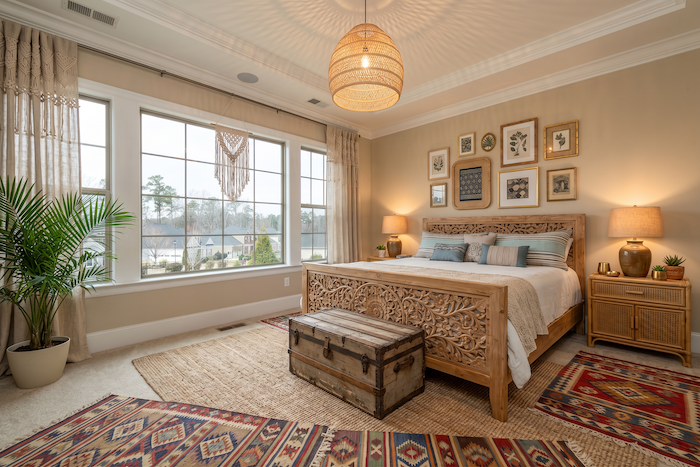
For further insights and comparisons of AI room makeover tools, refer to our comparative guide. For those looking into specific styles, like a bohemian aesthetic, our guide on choosing the right tools for boho bedroom design could be valuable.
AI tools have transformed the way we approach room redesign, offering new possibilities and convenience. Ready to dive into this innovative world? Visit our homepage to start your room makeover journey today!